 Sales & Marketing Automation
The CRM and Marketing Automation Guru's You Can Trust.
Sales & Marketing Automation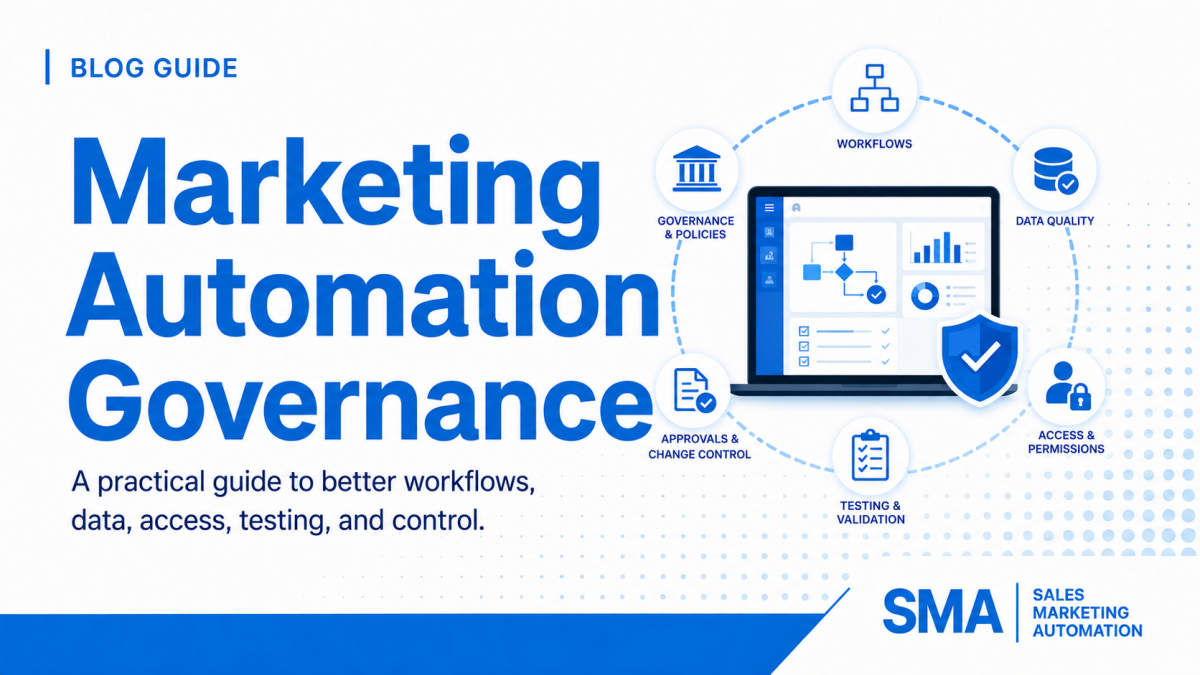
Marketing automation usually becomes harder after it becomes successful. A team starts with a few forms, emails, lists, and workflows. Then new campaigns, regions, products, sales teams, integrations, scoring rules, AI tools, and reporting needs are added. The platform keeps growing, but the operating rules often do not grow with it. Over time, people stop knowing which workflow owns a field, why a lead changed stages, who approved a major automation, or whether an old campaign can safely be turned off.
Marketing automation governance is the operating system that keeps that growth under control. It defines who can change important assets, how automation is named and documented, how data ownership works, how new workflows are tested, how risks are reviewed, how old assets are retired, and how teams respond when something breaks. Governance is not about slowing marketing down. Good governance makes teams faster because people can build, troubleshoot, and improve automation without guessing.
This guide explains how to create a practical governance model across marketing automation and CRM systems. The framework can be used with Salesforce Marketing Cloud Account Engagement, formerly Pardot, Salesforce, Adobe Marketo Engage, HubSpot, GoHighLevel, or a mixed technology stack. It covers ownership, permissions, naming, data control, workflow design, change management, testing, monitoring, AI, documentation, audits, and a 90-day rollout. For related planning, see our strategic CRM audit framework and our guide to B2B lifecycle automation.
Marketing automation governance is the set of rules, roles, controls, and review habits used to keep marketing technology reliable as the business changes. It covers more than user permissions. Governance includes the full lifecycle of an automation: why it exists, what data it uses, who owns it, how it is built, how it is tested, what it changes, how it is monitored, and when it should be retired.
Without governance, the platform usually grows by reaction. A campaign needs a quick field, so someone creates one. A lead-routing issue appears, so someone adds another branch. A report is missing a value, so a workflow starts overwriting the same property that another workflow already manages. Each fix can make sense by itself while making the overall system harder to understand.
A governed environment should let an operations team answer basic questions quickly. Who owns this workflow? What business event starts it? Which records can enter? Which fields can it change? What happens when data is missing? What happens when an integration fails? When was the rule last tested? Who approved the most recent change? What metric tells us whether it is working?
Those questions are platform-neutral. Salesforce describes Account Engagement automation rules as repeatable, criteria-based rules that find matching prospects and apply actions. Adobe Marketo Engage uses programs, Smart Campaigns, folders, operational programs, and other assets to organize automation. HubSpot provides workflow organization, history, performance, and error-review tools. The features differ, but the governance need is the same: teams need a clear structure around who can change automation and how those changes are controlled.
For current platform references, review Salesforce’s Account Engagement automation rules, Adobe’s Marketo program organization guidance, and HubSpot’s workflow organization guidance.
A structured health check can uncover workflow conflicts, bad data, broken routing, reporting gaps, and outdated automation before your team adds another layer of complexity.
A practical governance model does not need a large committee or a hundred-page policy. It needs a small set of controls that cover the parts of the system where mistakes create real business risk. One simple way to structure the model is to separate governance into four layers: access, data, automation, and measurement.
These layers are connected. A workflow can be perfectly designed but still fail if a user changes a critical field definition. A clean data model can still become unstable if every administrator can build competing lifecycle rules. A controlled automation can still become outdated if nobody reviews errors or performance after launch.
Strong governance protects the system from the user level up to business reporting.
Control who can build, approve, publish, export, delete, change integrations, and manage sensitive settings.
Define sources of truth, allowed values, field ownership, lifecycle meaning, consent rules, and sync direction.
Standardize naming, testing, approvals, fallbacks, documentation, deployment, and retirement.
Review errors, data quality, volume, response times, conversions, audit history, and stale assets on a set schedule.
The goal is to create controls the team will actually follow. Begin with the automations that can affect revenue, customer experience, privacy, or large numbers of records. Lead routing, lifecycle stage changes, scoring, subscription status, customer suppression, opportunity updates, sales alerts, data deletion, and high-volume email programs deserve stronger controls than a small internal notification.
Once the high-risk areas are governed, extend the same operating rules to lower-risk assets. This creates a system that is consistent without forcing every minor edit through the same approval process.
Automation becomes difficult to manage when every workflow belongs to “marketing” or “operations” in general. A team needs named responsibility. The most useful model separates business ownership from technical ownership.
The business owner is responsible for the rule the automation represents. This person should be able to explain why the workflow exists, which outcome it supports, what the correct business behavior is, and when the rule needs to change. For example, a sales operations leader may own the business logic for territory routing while a marketing operations administrator owns the build.
The technical owner is responsible for how the rule is implemented. This includes enrollment criteria, branches, field updates, integrations, testing, monitoring, documentation, and troubleshooting. The technical owner should know which related workflows or systems may be affected by a change.
Some changes should require a second set of eyes. A new nurture email may not need executive approval, but a workflow that changes customer status, deletes data, sends large volumes, reassigns accounts, modifies consent, or affects revenue reporting should have a defined approver. The approver is not there to rebuild the automation. The approver confirms that the business rule, test result, and risk level are acceptable.
Keep the ownership list visible. It can live in a simple spreadsheet, project board, CRM operations document, or a dedicated governance register. The important part is that an asset is never considered “owned” only because one administrator happens to remember how it works.
User access is one of the easiest governance controls to improve. The goal is not to remove useful access. It is to make sure permissions match real job needs. A content creator may need to edit email assets but not connector settings. A campaign manager may need to build programs but not export the entire database. A sales user may need activity visibility but not permission to edit scoring or automation rules.
Salesforce Account Engagement supports user roles and custom roles, allowing organizations to control permissions by responsibility. Salesforce also documents user-level security limits for actions such as prospect imports, exports, and list email sends. Review the current Account Engagement user role guidance when setting up access.
Limit administrative access to people who actually manage the platform. Pay special attention to permissions that can change connectors, sync behavior, users, domains, authentication, data exports, subscription settings, scoring, lifecycle rules, or mass automation. A small access review can prevent accidental changes that affect thousands of records.
Permission reviews should be triggered by employee changes, team reorganizations, agency access, new contractors, acquisitions, and changes in platform responsibility. Do not wait for a yearly audit if a user no longer needs administrative rights today.
For high-impact programs, use a review process where one person can build and another person confirms the launch. Not every platform has a formal approval button for every asset, but the operating process can still require a peer review before activation.
Our Pardot consulting work covers automation, lead nurturing, scoring, segmentation, Salesforce alignment, lifecycle design, and the operational controls needed to keep the system scalable.
A good naming standard reduces the time needed to understand an automation before anyone opens it. Names should tell users what the asset does, which process it belongs to, and whether it is active, operational, temporary, or archived.
A workflow called “MQL Workflow Final 2” will become confusing quickly. A clearer name might be “Lead – Qualification – Set Sales Ready” or “Contact – Customer – Suppress Acquisition Nurture.” The exact format can vary, but the team should use one consistent pattern.
Useful naming parts can include business area, object, lifecycle stage, campaign type, action, region, product, or year. Avoid adding too many elements. A naming standard should help users scan a list, not turn every asset into a sentence.
Adobe recommends organizing Marketo programs in folders and provides examples that separate active marketing programs, operational programs, sales insight, templates, and archives. That structure is useful beyond Marketo. Create clear areas for active campaigns, lifecycle automation, data management, scoring, integrations, templates, testing, and retired assets.
Adobe’s current program organization best practices specifically call out operational folders for lifecycle, scoring, and data management. HubSpot also supports workflow folders and organization tools. Folder structure is a simple control, but it makes audits and onboarding much easier.
Inactive assets should not remain mixed with live production automation forever. Define an archive rule. A retired workflow can be turned off, documented with the retirement date and replacement asset, and moved into an archive folder after the team confirms that no records or reports still depend on it.
Do not delete aggressively just to make the platform look clean. Historical assets can contain useful context. The safer goal is to separate active, inactive, and retired work so administrators know what is safe to touch.
Most automation rules depend on fields. If those fields are not governed, the workflow is not truly governed either. The team needs to know which system owns each revenue-critical value and how that value can change.
Start with fields that drive decisions: lifecycle stage, lead status, customer status, owner, territory, region, product interest, account tier, source, consent, qualification reason, score, opportunity status, campaign membership, and sales-ready date. For each one, define the source of truth, allowed values, who can edit it, which automation can update it, where it syncs, and what should happen when it is blank.
A field ownership map prevents one of the most common automation problems: several workflows writing different values to the same field. If a field controls reporting or routing, one clear rule should own the state whenever possible.
Before creating a new field, ask whether an existing field already serves the same purpose. Duplicate fields often appear because teams use different names for the same idea. “Product Interest,” “Interested Product,” and “Solution Interest” can slowly become three different sources of truth.
Create a small request process for new revenue-critical fields. The request should state the business purpose, object, data type, allowed values, source, reporting need, automation use, sync requirement, and owner. This prevents field growth from becoming invisible technical debt.
Integration errors should not live in a queue nobody owns. Salesforce documents common Account Engagement prospect sync errors and notes that sync failures can come from several causes, including data and permission problems. Make sync-error review part of regular operations, especially when CRM and marketing automation share lifecycle, ownership, or campaign data.
Use Salesforce’s current Account Engagement sync error guidance when troubleshooting that environment. For broader data quality planning, see our CRM data cleanup framework.
Change control does not have to mean long meetings. A simple change gate can protect high-impact automation while still letting the team move quickly. The purpose is to make sure a change has a reason, an owner, a test, a launch plan, and a way to detect problems.
Every high-impact change should pass these checks before it reaches live records.
State the problem, expected outcome, affected records, and business owner before changing the workflow.
Identify fields, lists, integrations, campaigns, reports, owners, and other workflows that may depend on the same logic.
Test normal records, missing data, duplicates, existing customers, active opportunities, invalid owners, and re-entry cases.
Record who approved the change, what was tested, when it went live, and how the team can reverse it if needed.
Review early enrollments, field changes, errors, volume, and business outcomes before treating the new rule as stable.
A useful change log should include the asset name, date, business reason, technical owner, approver, risk level, affected systems, test records, expected result, actual result, and rollback note. For small teams, a shared spreadsheet is enough. For larger teams, the same information can live in a ticketing or project system.
The change log becomes especially useful when performance changes weeks later. Instead of guessing why lead volume dropped or why a lifecycle report shifted, operations can compare the timing with recent changes.
Adobe Marketo Engage includes an Audit Trail that records actions and events and helps teams answer what changed, who changed it, and when. Adobe’s current Audit Trail overview describes a six-month self-service history. This type of platform history should support your change process, not replace it. The system can show what changed; your change log should explain why.
Testing should prove more than the happy path. A workflow may work perfectly for a clean new lead while failing on the records that matter most: existing customers, duplicate contacts, open opportunities, partner accounts, records with missing data, or leads owned by inactive users.
Maintain test records that represent common business situations. Examples include a new target lead, non-target lead, existing customer, active opportunity, recycled lead, unsubscribed contact, duplicate record, international lead, blank company, inactive owner, partner account, and high-intent form submission. Reuse these test profiles whenever a related automation changes.
Do not test by clicking through the platform and deciding the outcome “looks right.” Write the expected result first. The expected result can include owner, lifecycle stage, task, notification, campaign status, score, suppression, sync behavior, timestamp, and reporting value.
A workflow can behave correctly the first time and badly the second time. Test whether a record can re-enter, whether old timestamps get overwritten, whether sales is notified twice, whether a customer can accidentally return to acquisition nurture, and whether a closed opportunity can trigger an old process.
Before turning on a rule that can affect a large database, estimate how many records currently match the criteria. If the platform allows a smaller pilot, start with one region, product, segment, or controlled list. Volume testing protects the team from a rule that is technically correct but much broader than expected.
Governance continues after launch. A workflow that worked last quarter can fail today because a field changed, a user left, a connector lost access, a form was replaced, a product was renamed, or a sales territory was reorganized. Monitoring is what turns governance from documentation into an operating habit.
Technical health measures show whether the system is doing what it was built to do. Useful signals include workflow errors, failed actions, sync errors, unassigned records, inactive owners, missing required fields, duplicate creation, failed webhooks, API errors, unusual processing delays, and records stuck in review.
HubSpot’s current workflow tools provide history, action logs, enrollment history, performance details, and error review. Its workflow details guidance explains how teams can review history and performance, while its workflow error guidance explains how to find and review workflow issues.
A workflow can run without errors and still produce a bad business result. Monitor whether lead acceptance changed, routing time increased, nurture conversion dropped, sales complaints rose, customer suppression failed, pipeline attribution shifted, or unusual numbers of records entered an exception path.
Compare system health with business outcomes. For example, if opportunity conversion falls while workflow errors remain flat, the problem may be qualification logic rather than a technical failure. If lead response time rises at the same time as unassigned records increase, the routing process may be failing before sales can act.
High-volume and revenue-critical automation deserves more frequent review than low-impact internal workflows. A useful operating model is to review urgent errors daily, key automation health weekly, performance and exceptions monthly, and the wider system quarterly. Adjust the cadence to your business size and volume.
Connect qualification, ownership, follow-up, pipeline stages, and reporting so your automation supports the sales process instead of creating more manual cleanup.
Not every workflow needs the same review process. A simple internal alert and a workflow that changes customer subscription status should not require the same level of control. Risk-based governance keeps the process practical.
Use reach and impact to decide how much testing, approval, and monitoring each automation needs.
Examples: internal reminders, small team alerts, low-volume task creation. Use basic testing and clear ownership.
Examples: broad data cleanup or field normalization. Validate counts, exclusions, overwrite rules, and rollback steps.
Examples: strategic account routing, partner exceptions, customer status changes. Use peer review and test exception paths.
Examples: lifecycle changes, mass email, consent controls, lead routing, scoring, data deletion, and revenue reporting logic.
A workflow that affects only 20 named accounts may have more business impact than a cleanup workflow that updates 20,000 low-risk records. Consider who is affected, which teams depend on the data, whether customers can see the result, whether the action can be reversed, and whether the workflow changes revenue reporting or ownership.
Deletion, unsubscribe changes, mass sends, owner reassignment, lifecycle overwrites, and integration updates can be difficult to reverse. These actions deserve stronger testing, backups where possible, smaller launch groups, and clear rollback plans.
AI can help marketing teams summarize records, draft content, classify leads, recommend next actions, build workflows, enrich data, and support predictive models. These uses can save time, but they also create a new governance question: how much authority should the AI have?
AI that drafts a subject line for human review carries different risk than AI that automatically changes lead priority, routes a strategic account, sends customer communication, or modifies CRM data. Define which AI outputs are suggestions and which outputs are allowed to trigger actions without review.
Teams should still know why a record is qualified, routed, suppressed, or escalated. Do not let an AI recommendation become the only explanation for an important decision. Store useful reason codes or supporting inputs so operations and sales can understand what happened.
Before connecting AI features to CRM and marketing data, confirm what data the feature can access, what users can do with it, and what actions it can perform. Apply the same access-control thinking used for normal automation. A tool that can summarize a record may not need permission to edit every object in the CRM.
The National Institute of Standards and Technology provides a voluntary AI Risk Management Framework focused on managing AI risk and trustworthiness. Its broader lesson fits marketing operations well: organizations should manage AI across design, use, monitoring, and evaluation instead of treating the technology as a one-time feature decision.
Documentation fails when it becomes too hard to maintain. A governance document should help an administrator make a decision quickly. It does not need to describe every click in the platform.
Create a simple list of revenue-critical automation grouped by process. Useful groups include capture, enrichment, data normalization, lifecycle, qualification, scoring, routing, nurture, sales follow-up, opportunity, customer, suppression, reporting, and integrations. For each asset, record the owner, purpose, trigger, main fields, affected system, risk level, and last review date.
Create one approved definition for lifecycle stages, lead statuses, qualification, sales readiness, customer status, source categories, and key routing terms. Link workflows back to those definitions instead of rewriting them differently inside each asset description.
Many teams document the normal flow but leave exceptions in people’s heads. Record what happens with duplicate records, inactive owners, missing companies, strategic accounts, partners, existing customers, open opportunities, unsupported regions, failed integrations, and records that should not be contacted.
Use workflow descriptions, program descriptions, folder names, field descriptions, and internal links where the platform allows them. Adobe also provides guidance on Marketo instance governance and documentation. The easier it is to find the reason behind an asset, the more likely the documentation will stay useful.
Do not try to govern every old asset in one week. Start with the automations that affect the most revenue, data, customers, or operational risk. A 90-day rollout can create the core rules while the team continues normal campaign work.
Strong marketing automation governance does not mean every email needs a meeting and every workflow needs executive approval. It means the level of control matches the level of risk. Low-impact work can move quickly. High-impact work receives better testing, clearer ownership, stronger permission controls, and closer monitoring.
Start with the parts of the system that control revenue and customer experience. Define who owns them. Clean up access. Standardize the fields those rules depend on. Give workflows names another administrator can understand. Put important changes through a simple gate. Test exceptions. Watch errors and business outcomes after launch. Archive old automation so active logic stays visible.
Then make governance part of normal operations. Review changes monthly. Audit deeper each quarter. Update documentation when the business changes. Revisit permissions when users change roles. Review AI features before they are allowed to take high-impact actions. These habits keep the platform easier to trust as the company adds new campaigns, products, territories, and tools.
If your team needs help reviewing automation, CRM data, lifecycle design, reporting, and operational gaps, our marketing automation services cover strategy, lead nurture, automation, platform support, reporting, and connected revenue operations. You can also review our customer stories to see how different organizations have improved their marketing automation environments.
Find broken workflows, data gaps, ownership issues, reporting problems, and hidden technical debt before they slow down pipeline.
Request a HubSpot Health Check
Explore HubSpot Pipeline Services
Marketing automation governance is the set of rules, roles, permissions, standards, and review processes used to keep marketing automation reliable. It covers ownership, data, workflows, testing, changes, documentation, monitoring, integrations, and retirement of old assets.
Governance helps prevent conflicting workflows, bad data, accidental field overwrites, unclear ownership, risky permissions, duplicate automation, and reporting problems. It also makes troubleshooting faster because the team knows who owns each process and why a rule exists.
Most companies need both business and technical ownership. Marketing operations, revenue operations, CRM administrators, sales operations, or platform owners may manage the technical side. Business leaders should own the rules that affect qualification, routing, customer communication, and revenue processes.
Review urgent technical problems as they appear, check key automation health on a weekly or monthly basis, and perform a deeper system review at least quarterly. Also review the system when teams, territories, products, integrations, lifecycle definitions, or major platform features change.
Include the asset name, date, business reason, owner, approver, risk level, affected systems, test records, expected result, actual result, launch date, and rollback note. The log should be simple enough that the team keeps it current.
Use clear user roles, controlled automation rules, defined Salesforce sync ownership, standard naming, testing, change history, error review, and documented lifecycle rules. Pay special attention to fields shared with Salesforce because changes can affect both marketing and sales processes.
Use organized program and operational folders, consistent naming, documented channels and statuses, controlled Smart Campaigns, role-based access, Audit Trail review, test records, and a clear archive process. Keep lifecycle, scoring, and data-management programs especially well documented because many other campaigns depend on them.
Organize workflows by purpose, use clear names and descriptions, control who can make high-impact changes, review enrollment and action history, monitor errors, test re-enrollment, and document which properties each workflow owns. Separate lifecycle, routing, customer, and reporting logic so several workflows do not compete for the same state.
No. Use risk-based governance. A low-volume internal reminder can use a light review. A workflow that changes consent, customer status, ownership, lifecycle stage, lead scoring, revenue reporting, or large numbers of records should receive stronger testing and approval.
Define what data the AI can access, what outputs are only suggestions, what actions it can perform automatically, and where human review is required. Keep important business rules visible and monitor whether AI-assisted decisions improve real outcomes without creating data, privacy, or customer-experience problems.
Start with an inventory of active automation and identify the highest-risk processes. Assign owners, review permissions, map critical fields, create naming and change standards, build test cases, and begin monitoring errors and exceptions. Expand the governance model after those core habits are working.