Fast-Track to Sales Review
The account fits the market and the buyer is showing strong buying signals. Confirm required data, protect existing ownership, assign the correct team, and send the context sales needs.
 Sales & Marketing Automation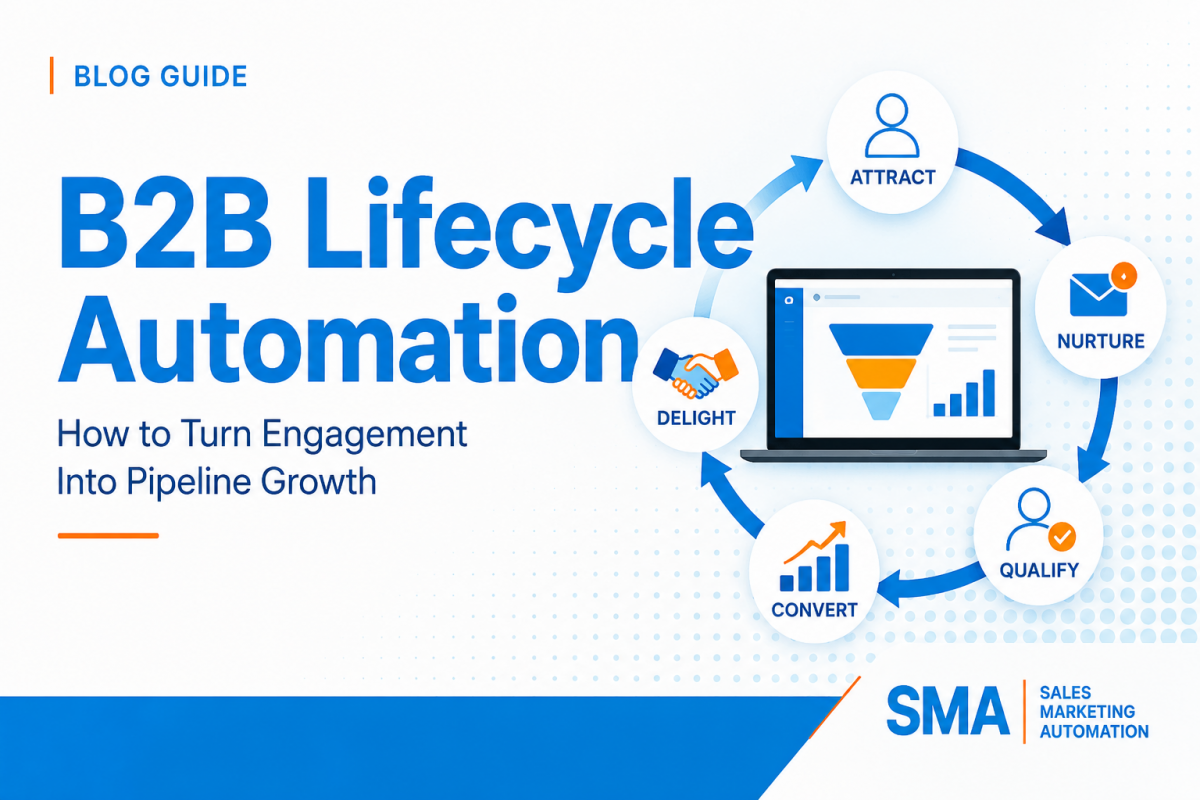
B2B marketing automation often becomes harder as a company grows. A form creates a prospect, an enrichment tool adds company data, a marketing platform scores activity, a CRM owns the account, a nurture program sends email, and sales expects a clean handoff. Each tool may work on its own, yet the full journey can still break because no one has defined how the pieces should work together.
B2B lifecycle automation architecture is the operating design that connects those pieces. It defines how a person enters the database, which data must be trusted, how fit and intent are evaluated, when nurture should begin or stop, when a record should sync to the CRM, what makes a lead sales-ready, and how marketing activity becomes visible in pipeline reporting. The goal is not to build more automation. The goal is to build a system where every automation has a clear job.
This guide uses Salesforce Marketing Cloud Account Engagement, formerly Pardot, and Salesforce as practical examples, but the framework can be used across many B2B CRM and marketing automation stacks. If you are working specifically in Account Engagement, start with our Pardot setup and configuration checklist. If your current environment already feels hard to manage, our guide to strategic CRM audits explains how to find technical debt before you add more workflows.
A lifecycle automation system should make the buyer journey easier to understand, not hide it behind software. At any point, operations should be able to answer five simple questions: What stage is this person in? What evidence placed them there? Which system owns the important data? What should happen next? Who is responsible if automation cannot make the decision?
Those questions matter because a marketing platform and a CRM do different jobs. Account Engagement can capture and evaluate marketing activity, run nurture programs, use completion actions and automation rules, and share prospect data with Salesforce. Salesforce can hold the wider account, lead, contact, opportunity, ownership, and pipeline context. The Salesforce connector is the bridge between those systems, but a connector does not decide your business rules for you.
A strong architecture gives each layer one clear responsibility. Lead capture collects the minimum data required to create a useful record. Data management standardizes and enriches that record. Qualification evaluates whether the account fits your market and whether the buyer is showing meaningful intent. Nurture helps the buyer move forward when sales outreach is not yet the right next step. The CRM handoff creates ownership and sales context. Reporting then connects those steps to pipeline and revenue.
Problems begin when the same business decision is repeated in several places. A form may set a lifecycle field, an automation rule may overwrite it, a Salesforce Flow may change it again, and a nurture program may branch on the final value without knowing where it came from. The record still has a value, but the team no longer has a reliable process.
When Salesforce and Account Engagement are used together, Connected Campaigns can also help bring campaign engagement and Salesforce reporting closer together. That can support Campaign Influence, Engagement History, and a more shared view of performance.
Do not begin a lifecycle project by opening a workflow builder. Start with a plain-language map of how buyers should move. A good map is small enough for sales, marketing, and operations to review together. It should show the entry signal, the decision being made, the next action, the system that owns the step, and the condition that allows the buyer to leave that stage.
The exact labels will vary by company, but the operating pattern is usually similar. A person becomes known, marketing determines whether the record belongs in the target market, engagement builds, a qualification threshold is reached, sales accepts or rejects the handoff, and the record either advances into pipeline or returns to a controlled nurture path.
Form, event, import, referral, chat, content conversion, or approved integration.
Is the record valid, permissioned, deduplicated, and complete enough to enter automation?
A clean known prospect enters the approved qualification path.
The record has enough profile data and engagement history to evaluate.
Does the company fit, and is the buyer showing enough intent for the next motion?
The buyer moves to nurture, sales review, or a controlled low-priority path.
The account is worth developing but the buyer is not ready for direct sales follow-up.
Which message, wait period, branch, and next action fit the buyer’s current behavior?
A strong intent event, score threshold, disqualification, opt-out, or sales status ends the path.
The prospect meets the approved definition for sales review or requests direct contact.
Who owns the record, what context is sent, and what response standard starts now?
Sales accepts, converts to pipeline, or returns the record through a documented recycle path.
A stage without an owner becomes a waiting room. Define who is responsible for the business logic and who is responsible for the technical build. Marketing may own nurture strategy while RevOps owns lifecycle definitions and the CRM admin owns field behavior. Those responsibilities can be shared, but they should not be assumed.
Exit rules are equally important. A person should not stay inside an engagement program after becoming an active opportunity, remain marked as marketing-qualified after sales rejects the handoff, or continue receiving a product nurture after clearly choosing another product. Every major stage needs a controlled way out.
Automation makes bad data move faster. Before building new journeys, identify the fields that control qualification, segmentation, consent, ownership, assignment, personalization, and reporting. For each field, document the allowed values, where the value originates, which system is allowed to update it, what happens when it is blank, and how conflicts are resolved.
In Account Engagement and Salesforce, this is especially important because synced prospect fields can be configured with different field sync behavior. A value can be controlled by Salesforce, controlled by Account Engagement, or handled according to the configuration available for that field. If the team does not know the rule, a user may correct a value in one system only to see it changed again after the next sync.
Do not declare one platform the source of truth for everything. Choose the source by field. Salesforce may be authoritative for account ownership, opportunity stage, customer status, and sales territory. Account Engagement may be authoritative for certain marketing engagement values, list memberships, nurture status, and campaign interactions. A data enrichment platform may own industry or employee range until a sales user confirms a value.
The important part is that the choice is explicit. When the same field is editable in several systems without a rule, reporting and automation slowly drift apart.
Controlled fields are easier to automate than free text. Standardize country, state, industry, company size, product family, lead source, persona, customer type, and other values before they drive qualification. Map old values into the new standard rather than teaching every workflow to understand every historical variation.
Blank values also need a designed outcome. A missing territory or unknown company size should not automatically push a record into the normal route. Use an Unknown or Needs Review state when a missing value changes the business decision.
Salesforce documents that prospect changes move between Account Engagement and Salesforce through the connector, with syncing generally occurring every two to four minutes. Review the official guide to syncing prospects before you design automations that assume two systems update at the exact same moment.
Small timing assumptions can create large process errors. For example, a nurture program may evaluate a field before a CRM update arrives, or a Salesforce Flow may run based on a value that is about to be changed by Account Engagement. Build around the actual data flow instead of assuming the platforms behave like one database.
Consent, opt-out, suppression, and email permission fields deserve their own governance. Decide which system controls each communication status and confirm that all sending tools respect the same decision. Salesforce provides several options for Account Engagement opt-out sync behavior, so older business units should not assume the current value is handled the same way in every environment.
If your organization uses HubSpot beside Salesforce or other marketing tools, a health check can uncover duplicate data, workflow conflicts, broken handoffs, and reporting gaps on that side of the stack.
One of the most common qualification mistakes is treating every form submission as equal. A strong-fit executive researching a solution is different from a student downloading a guide. A low-fit visitor can create a large amount of activity without becoming a useful sales opportunity. The system needs a way to separate who the buyer is from what the buyer is doing.
That is why fit and intent should be evaluated as different dimensions. Profile fit can use company size, industry, location, role, customer status, target-account tier, or other stable characteristics. Intent can use behaviors such as high-value page visits, form submissions, event activity, repeated content engagement, direct contact requests, or product-specific actions.
For a deeper scoring framework, review our lead scoring model setup guide. In Account Engagement, teams can also use completion actions to respond to asset activity and automation rules to find prospects that match defined criteria. Salesforce explains the available completion actions and the broader use of automation rules.
The account fits the market and the buyer is showing strong buying signals. Confirm required data, protect existing ownership, assign the correct team, and send the context sales needs.
The company is valuable, but the buyer has not shown enough urgency. Use role- and problem-based content, monitor new intent, and avoid forcing a sales handoff too early.
The person is active, but the account may not match your normal market. Check partner, customer, education, competitor, geographic, or product exceptions before creating a sales task.
Do not spend heavy sales or nurture resources on records that have little fit and little engagement. Keep only the data and communication path that your business rules and permissions require.
A score is a signal, not a complete business state. A buyer can cross a numeric threshold because of repeated low-value activity, while a strong-fit prospect may request a sales conversation before accumulating much score. Use direct high-intent events as separate qualification paths when they deserve immediate attention.
Similarly, grading or profile fit should not be treated as intent. A perfect target account that has never engaged should not look identical to an active buyer from that same account. Keep the two dimensions visible so marketing and sales can understand why a record moved.
Qualification should be able to move down as well as up. Repeated inactivity, invalid data, job changes, competitor status, student status, disqualifying geography, or other approved conditions may reduce priority. Without decay or negative rules, an old score can keep a prospect looking hot long after the real buying activity has ended.
Nurture should help a buyer take a useful next step. It should not exist only because the platform makes drip campaigns easy to build. Before creating a program, write down the audience, the problem they are trying to solve, the goal of the program, the content needed, the behavior that changes the path, and the event that ends the program.
In Account Engagement, Engagement Studio uses triggers, rules, and actions to move prospects through a program. Triggers wait for prospect behavior, rules evaluate prospect criteria, and actions perform a change or send the next communication. Wait periods control when prospects continue. That gives teams a flexible structure, but the business logic still has to be designed first.
A program should have one main purpose, such as educating new prospects, following up after an event, re-engaging inactive contacts, supporting a product evaluation, or developing high-fit accounts that are not yet sales-ready. If one program tries to handle new leads, customers, upsell, lost opportunities, event follow-up, and re-engagement at the same time, the logic becomes difficult to test and almost impossible to explain.
A nurture path should react to meaningful behavior. A buyer who visits a product page several times, submits a high-intent form, attends an event, or requests pricing may need a faster path than someone who only opens an email. A buyer who ignores several messages may need a slower cadence, a different content angle, or removal from an active sequence.
Use branches only when the branch creates a different business action. A decision that sends both paths to the same email later adds complexity without changing the experience.
List the buyer questions that must be answered at each stage. Early content may explain the problem and common approaches. Middle-stage content may compare options, show implementation details, or demonstrate proof. High-intent content may focus on evaluation, risk, pricing, rollout, integration, or next steps. Then map each asset to the behavior it should support.
This prevents the automation builder from becoming the content strategy. It also makes gaps obvious before the program launches.
Salesforce also publishes common Engagement Studio program templates for use cases such as event follow-up, re-engagement, top-of-mind nurture, and upsell. Use those as structural references, then adapt the logic to your own buying process.
The handoff is the point where marketing automation becomes a revenue process. A lead should not simply appear in Salesforce with a high score and no explanation. Sales needs to know why the record is ready, what the buyer did, which account they belong to, what they are interested in, whether there is an existing relationship, and what action is expected next.
Marketing and sales should agree on the minimum conditions for a handoff. That definition may combine account fit, job role, meaningful engagement, product interest, territory, customer status, and direct intent. The contract should also define which events bypass normal scoring, such as a meeting request or a direct sales form.
Then define the response from sales. Who receives the record? How quickly should the first action happen? What counts as an accepted lead? What rejection reasons are allowed? When does a rejected lead return to nurture?
In Account Engagement, prospect assignment and matching conditions can affect whether a prospect syncs to Salesforce. Salesforce documents the detailed prerequisites and activities that cause a prospect to sync. Review those rules before using assignment as a qualification action, because assignment can have a larger effect than simply setting an owner field.
Not every rule belongs in Account Engagement. Some logic is better handled by Salesforce Flow because it depends on CRM objects, account relationships, opportunity status, or sales-owned data. Other logic may belong in Account Engagement because it depends on marketing asset activity, prospect lists, tags, email behavior, or nurture criteria. Salesforce provides a useful comparison of Account Engagement automation rules and Salesforce Flows.
The safest model is to place each business decision in the system that has the strongest context for that decision. Avoid building the same ownership or lifecycle rule in both platforms unless one is clearly a backup or validation layer.
Sales should not be able to reject a lead into a blank status. Use controlled reasons such as Wrong Territory, Existing Owner, Not Ready, Not a Fit, Duplicate, Student, Competitor, Missing Data, or Customer Request. Each reason should produce a defined next step.
A Not Ready lead may return to a slower nurture. A Wrong Territory lead may be reassigned. A Duplicate should be merged or reviewed. A Not a Fit record may be removed from active marketing. This creates a feedback loop that improves qualification instead of hiding failed handoffs.
If HubSpot is also used by part of your organization, our guide to HubSpot lead routing that scales covers the same ownership and handoff problem from the HubSpot side.
If your revenue stack includes HubSpot, connect qualification, ownership, handoffs, pipeline stages, and reporting so leads do not disappear between marketing and sales.
A lifecycle system cannot perform if important emails do not reach the inbox or if the database ignores communication preferences. Deliverability should be part of architecture, not a cleanup project after campaigns begin failing.
Salesforce requires ownership verification for Account Engagement sending domains. Salesforce states that SPF is configured by default for Account Engagement sending, and it recommends additional authentication with DKIM and DMARC. Review the official guide to authenticating Account Engagement emails before a new sending domain or major campaign launch.
Domain configuration should be documented with the same care as workflow configuration. Keep a record of the sending domains, DNS ownership, DKIM status, DMARC policy, tracking domains, responsible IT contact, and any planned domain changes.
Do not treat a large database as a sendable database. Permission status, recent engagement, bounce history, suppression rules, customer status, and campaign purpose should influence who receives email. Salesforce’s Account Engagement email deliverability best practices emphasize permission-based sending, authentication, list quality, and responsible email practices.
Create reusable suppression logic rather than rebuilding exclusions for every send. Common suppression groups may include opted-out records, hard bounces, known competitors, internal employees, certain customers, active sales opportunities, legal exclusions, or records with missing permission. The exact groups depend on your business, but the rules should be centrally documented.
A prospect can qualify for several nurture programs at once. Without a frequency policy, each program may look reasonable alone while the combined experience feels excessive. Decide whether some programs are mutually exclusive, which messages have priority, and whether a global communication limit is needed.
Frequency control should also consider direct sales communication and customer messaging. Marketing should not send an automated “ready to talk?” sequence immediately after a salesperson has already started an active conversation.
Reporting should show movement through the system, not only email activity. Open and click data can help optimize content, but leadership needs to see whether the lifecycle creates qualified conversations, accepted leads, opportunities, and revenue.
With Account Engagement and Salesforce, Connected Campaigns can reduce the need to manage separate campaign structures and can support a more complete view of campaign activity inside Salesforce. Salesforce recommends planning the campaign structure and record types before enabling or expanding the feature. Review the guidance for connecting campaigns and the recommended order of operations.
Define campaign member statuses that describe meaningful progress. Registered, Attended, Engaged, Requested Demo, and No Show may be useful for an event, while Sent, Responded, Qualified, or other statuses may fit a different motion. The important part is that statuses are useful for reporting and are applied consistently.
A current stage tells you where the buyer is now. Timestamps tell you how the buyer moved. Store important moments such as first known conversion, qualification date, MQL date, CRM sync date, owner assignment date, first sales action, sales acceptance, opportunity creation, recycle date, and customer date when those measures matter to your process.
Without those timestamps, teams can count records at each stage but cannot reliably measure velocity or identify where the journey slows down.
Required qualification and routing fields completed with approved values.
Form gaps, enrichment gaps, inconsistent values, or unclear field ownership.
Sync errors, stale values, duplicate records, and records blocked from expected CRM movement.
Field conflicts, validation rules, connector permissions, or poor matching logic.
Entry volume, active prospects, meaningful branch actions, exits, and sales-ready conversions.
Weak content, poor segmentation, long wait periods, or programs without clear exits.
Accepted handoffs, rejection reasons, reassignment, and recycle volume.
Qualification problems, ownership errors, weak context, or poor sales-marketing alignment.
Time from qualification to assignment and time from assignment to first approved sales action.
Automation delay, queue backlog, unclear SLA ownership, or sales capacity issues.
MQL-to-opportunity, accepted-lead-to-opportunity, pipeline value, and revenue by source or route.
Poor targeting, weak qualification, sales follow-up problems, or attribution gaps.
Bounces, spam complaints, opt-outs, engagement changes, and authentication status.
Poor list quality, weak permission practices, frequency problems, or domain reputation risk.
A campaign can have strong engagement while the lifecycle process is broken. It can also have modest email engagement while producing useful opportunities from a small, high-fit audience. Keep system health measures separate from campaign measures so the team knows what type of problem it is trying to solve.
Campaign Influence and connected campaign data can help show which programs are associated with opportunity creation and revenue. The purpose is not to find one perfect number that gives all credit to one touch. The purpose is to understand which marketing motions repeatedly appear in successful journeys and where investment should change.
For teams that need ongoing help maintaining this reporting and automation layer, our guide to marketing automation managed services explains how continuous platform oversight differs from a one-time build.
Most automation environments do not become messy because one person intentionally built a bad system. They become messy because small changes accumulate. A new campaign needs a quick field. A sales manager asks for a special exception. A workflow is copied instead of updated. A user leaves. A product name changes. Six months later, nobody is sure which automation is safe to edit.
Use names that show the purpose, audience, object, and status when possible. Avoid names such as Final Workflow, New Nurture 2, Test Copy, or Updated Rule. A good name should help a new administrator understand why the automation exists before opening it.
Use the same principle for lists, Salesforce campaigns, custom fields, email templates, forms, and Engagement Studio programs. Consistent names make audits and troubleshooting much faster.
Separate capture cleanup, qualification, scoring, nurture, CRM assignment, customer suppression, and reporting logic when that improves control. A giant automation that performs all of those jobs is difficult to test because one small change can affect unrelated parts of the lifecycle.
Smaller does not mean creating hundreds of tiny rules with no structure. Group logic around clear business responsibilities and document how the layers connect.
Exceptions are sometimes necessary, but every exception should have a reason and an owner. Review temporary routing rules, old campaign fields, paused nurture programs, inactive lists, stale Salesforce Flow branches, unused Account Engagement automation rules, and old scoring changes. Remove or archive what the business no longer uses.
A regular CRM and automation audit can expose workflow overlap, stale integrations, field conflicts, duplicate data, and other technical debt before those issues become visible to buyers or sales.
Documentation should explain decisions, not only clicks. Include the lifecycle map, qualification model, field dictionary, sync ownership, nurture inventory, campaign structure, suppression rules, sales handoff SLA, reporting definitions, and change log. Screenshots can help, but they should support written rules rather than replace them.
For broader support across Salesforce, Pardot, Marketo, HubSpot, and other automation platforms, review our marketing automation and sales automation services.
A controlled rollout is safer than rebuilding the whole lifecycle at once. Use the first month to understand the current system, the second month to build and test the new operating model, and the third month to launch in stages and measure what actually changes.
Scalable marketing automation is not measured by the number of workflows, campaigns, scoring rules, or nurture branches in the account. It is measured by how reliably the system turns real buyer behavior into the correct next action while keeping data, consent, ownership, and reporting under control.
Start with the lifecycle. Decide what each stage means, which data supports the decision, which system owns the value, what must happen before the buyer advances, and what should happen when the system is uncertain. Then choose the Account Engagement rule, Salesforce Flow, campaign process, nurture program, or manual review step that best supports that decision.
As the business changes, update the operating model before editing production automation. New products, markets, sales teams, territories, scoring signals, data providers, and campaign types should enter the same governance process. That keeps the architecture understandable and prevents short-term fixes from becoming permanent technical debt.
If Account Engagement is central to your stack, you can also review our Pardot consulting and implementation services for audits, managed services, support, development, training, and strategic documentation.
If HubSpot is also part of your stack, make sure its data, routing, pipeline, and automation work cleanly beside your Salesforce and marketing systems.
Explore HubSpot Pipeline Services
Request a HubSpot Health Check
B2B lifecycle automation architecture is the design that connects lead capture, data management, qualification, nurture, CRM sync, sales handoff, consent, campaign tracking, and reporting. It defines the business rules first and then assigns each rule to the tool best suited to perform it.
Salesforce now refers to Pardot as Marketing Cloud Account Engagement, although the Pardot name still appears in older documentation, URLs, integrations, and common industry language. The product remains focused on B2B marketing automation and works closely with Salesforce CRM.
Usually, a score should be one signal rather than the full qualification decision. A better model combines account or profile fit with behavioral intent and allows direct high-intent actions, such as a sales request, to follow their own path. This reduces the risk of sending highly active but low-fit records to sales.
Engagement Studio is Account Engagement’s lead nurturing tool. It lets teams build programs that use triggers for prospect behavior, rules for prospect criteria, actions for automated steps, and wait periods to control timing. A strong program should also have clear entry, suppression, exit, and re-entry rules.
Start by documenting which fields must sync and which system is the source of truth for each important value. Pay special attention to qualification, consent, customer status, ownership, territory, and lifecycle fields. Then configure field sync behavior and test how changes move in both directions before relying on those values in automation.
The right business moment depends on your sales process, but the technical behavior also depends on Salesforce connector prerequisites, record matching, assignment, and activities that trigger sync. Review the official Salesforce sync rules before using assignment or CRM creation as a simple marketing step.
Connected Campaigns bring Salesforce and Account Engagement campaign activity closer together. They can support campaign influence, engagement history, and shared campaign reporting in Salesforce. The value depends on consistent campaign structure, member statuses, and opportunity reporting.
Verify sending domains, configure the recommended authentication, use permission-based lists, maintain clear suppression rules, remove or manage bad addresses, watch engagement and complaint signals, and control how often prospects can receive messages across several programs. Deliverability should be reviewed as an operating system, not only as an email creative issue.
Track data coverage, sync errors, qualification volume, nurture movement, sales acceptance, rejection reasons, assignment speed, first sales action, opportunity conversion, pipeline by source or campaign, deliverability, and customer outcomes. The exact dashboard can vary, but it should connect process health to revenue movement.
Review it after major changes to products, territories, teams, integrations, forms, scoring, consent rules, or campaign structure. During a new rollout, review the system frequently enough to catch issues quickly. Once it is stable, use a regular governance schedule and keep monitoring errors and exceptions between formal reviews.
Yes. The same operating ideas apply to HubSpot, Marketo, Salesforce Marketing Cloud, GoHighLevel, and other CRM or marketing automation systems. The exact tools and features differ, but clean data, clear lifecycle definitions, fit and intent, controlled handoffs, consent, reporting, and governance are platform-independent requirements.