 Sales & Marketing Automation
The CRM and Marketing Automation Guru's You Can Trust.
Sales & Marketing Automation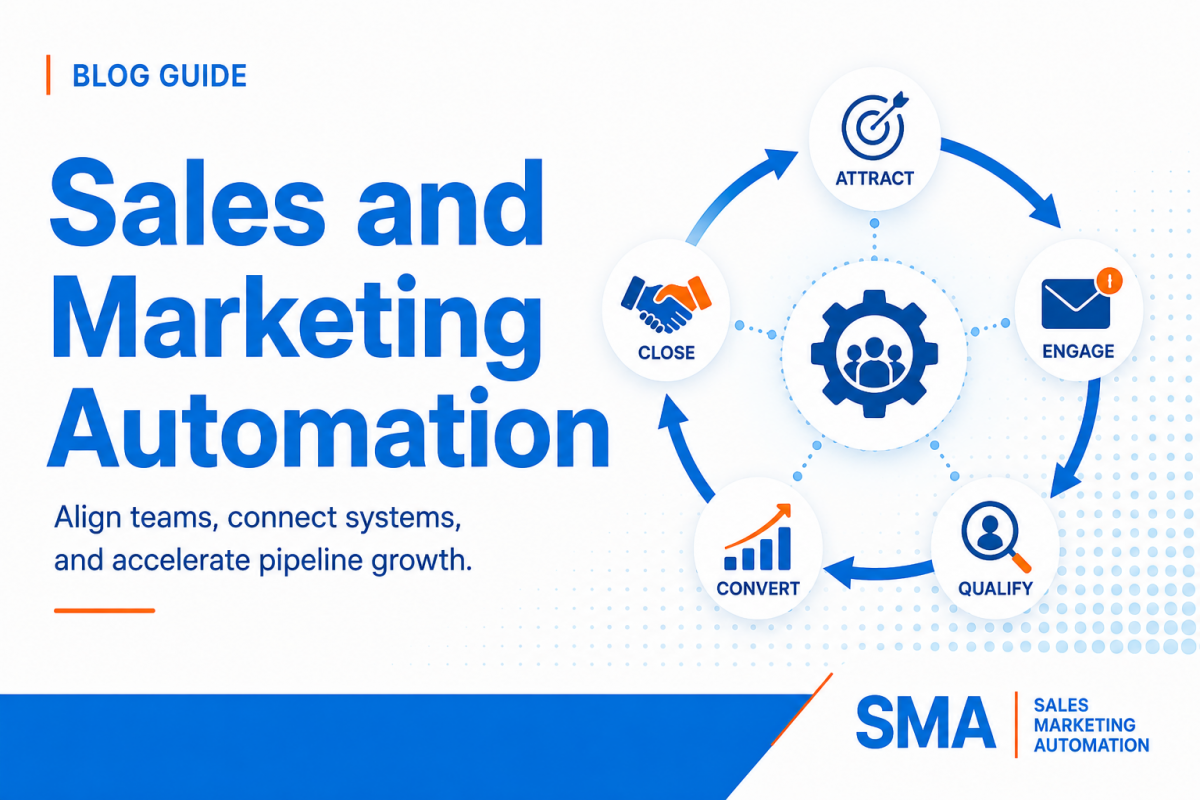
Sales and marketing teams often invest in automation for the same reason: they want to move faster without adding unnecessary manual work. Marketing wants to capture demand, nurture buyers, and identify real intent. Sales wants to know who to contact, why the person matters, what happened before the handoff, and what action should happen next. The problem begins when each team automates its own part of the process without designing the connection between them.
Sales and marketing automation works best when both teams operate from shared data, shared lifecycle definitions, clear ownership rules, and a documented handoff process. The goal is not to automate every email, task, stage change, and decision. The goal is to automate the repeatable parts of the revenue process while giving people the context and control they need for important conversations. A good system reduces delays, prevents duplicate outreach, keeps CRM data usable, and gives leadership a more reliable view of how marketing activity becomes pipeline.
This guide explains how to design that system from end to end. It covers the revenue process, shared data model, qualification, scoring, routing, follow-up, CRM automation, reporting, AI, governance, and rollout. It is platform-neutral, so the framework can be applied across Salesforce, Account Engagement, Marketing Cloud, Adobe Marketo Engage, HubSpot, GoHighLevel, or a connected stack of several tools. For related planning, see our marketing automation migration framework and our guide to lead scoring and revenue alignment.
Marketing automation and sales automation solve different parts of the same revenue problem. Marketing automation typically captures leads, segments audiences, sends nurture communication, tracks engagement, manages campaign responses, and helps determine when a person or account may be ready for sales. Sales automation typically handles owner assignment, task creation, follow-up sequences, meeting activity, opportunity movement, pipeline reminders, and CRM updates. When the two systems are disconnected, the buyer experiences the gap.
For example, marketing may identify strong intent and send a lead to sales, but the CRM record may not show the content the buyer viewed or the product the buyer asked about. Sales may then send a generic message that ignores everything marketing learned. In the other direction, sales may have an active opportunity while marketing continues sending early-stage nurture because the opportunity status does not sync back into campaign eligibility. Both teams are technically automating, but the customer journey is not coordinated.
HubSpot describes workflow automation as a system of triggers, records, and actions that can update CRM data, create follow-up work, send communication, and connect other tools. Its current workflow automation guide shows how one automation layer can span marketing, sales, service, and data tasks. Salesforce’s current guidance on sales and marketing alignment also emphasizes shared systems, shared definitions, communication, and coordinated execution rather than isolated team goals.
A connected system should answer five basic questions at any point in the buyer journey. Who is this person or account? What has happened so far? What does the current behavior mean? Who owns the next action? What should happen if the expected action does not occur? If the CRM and automation tools cannot answer those questions consistently, more automation will usually make the problem faster rather than better.
The system also needs to separate customer-facing automation from internal operating automation. Customer-facing automation includes emails, messages, reminders, and nurture journeys. Internal automation includes data normalization, scoring, routing, ownership updates, tasks, alerts, stage changes, SLA monitoring, and reporting fields. Internal automation is often less visible, but it is the part that makes customer communication reliable.
A structured health check can uncover broken workflows, data gaps, unclear ownership, duplicate automation, reporting problems, and handoff delays before they cost more pipeline.
Before building workflows, map the process in plain language. Start with the buyer, not the software. A typical B2B path may begin with anonymous research, continue through a form or event response, move into nurture, become qualified, enter a sales conversation, create an opportunity, close, and later move into onboarding, retention, or expansion. Your real process may be more complex, but every stage should have a business meaning before it has an automation rule.
The mapping exercise should include both normal movement and exceptions. What happens when a lead already belongs to an open account? What happens when the buyer requests a demo but the CRM has no company association? What happens when sales rejects a lead? What happens when an opportunity closes lost and the buyer later shows new intent? What happens when the contact changes companies? These are not edge cases to ignore. They are where disconnected systems usually create the most confusion.
The handoff is easier to design when the process is viewed as a relay. Marketing does not simply “finish” and throw a lead over a wall. Each stage adds information and passes clear context into the next action. Sales also sends information back into the system so marketing knows whether to pause, recycle, nurture, or support an active opportunity.
Each stage passes data, intent, and ownership forward instead of starting over.
Identify the person, source, account, need, and permission.
Combine fit, behavior, account context, and real buying intent.
Assign the owner, explain why, and create the next action.
Follow up, create pipeline, recycle, or return the buyer to nurture.
Every stage needs a clear exit condition. A nurture stage may end when the buyer reaches a score threshold, requests a meeting, enters a target account, or meets another qualification rule. A sales-accepted stage may end when the rep makes a qualifying contact, rejects the lead with a valid reason, or misses the service-level target. An opportunity stage should change because a defined sales event happened, not simply because enough time passed.
Exit rules make automation easier to test because the team can compare expected movement with actual movement. They also prevent records from remaining in a stage indefinitely because nobody defined what “done” means.
Automation depends on data. If marketing and sales use different values for region, product interest, company size, lifecycle stage, source, or account ownership, workflow logic becomes difficult to trust. Before building more triggers, identify the data that drives decisions and standardize it.
Start with the fields that change what the business does. These often include lifecycle stage, lead status, account owner, region, segment, product interest, customer status, opportunity status, original source, recent source, qualification reason, score, sales-ready date, handoff date, and recycle reason. Not every organization needs the same fields, but every field should have one defined purpose.
For each critical field, document the source of truth, allowed values, who may change it, whether automation can overwrite it, what happens when it is blank, and where it must sync. A field called “Industry” may sound simple until one platform uses free text, another uses a controlled picklist, and an enrichment tool writes a third classification. Standardization should happen before branching logic uses the value.
B2B qualification often requires both person-level and account-level data. A person may show strong engagement but belong to a company outside the target market. Several people from the same account may show moderate engagement that becomes meaningful when viewed together. Adobe Marketo Engage’s current account scoring guidance describes how person scores can be aggregated into account-level engagement and interest scores for target-account management.
Whether your platform supports account scoring directly or you build the logic another way, decide which decisions belong at the person level and which belong at the company level. Territory, customer status, named-account ownership, open opportunity, and account tier are often company-level controls. Job role, activity, consent, and individual engagement are often person-level controls.
One of the most damaging automation patterns is having several workflows set the same field for different reasons. A marketing workflow changes lifecycle stage based on score. A sales workflow changes it based on deal stage. An integration changes it based on a product event. Nobody knows which value will win. Instead, assign one system or one controlled automation layer responsibility for each critical state.
If several systems need the value, sync the result outward rather than letting every system calculate it independently. This is especially important for unsubscribe status, customer status, sales ownership, opportunity state, and lifecycle stage.
Sales readiness should be a business definition before it becomes a score. Marketing and sales should agree on the combination of fit and behavior that justifies human follow-up. A buyer who downloads one broad educational guide may not be ready. A buyer from a target account who returns to product pages, attends a technical webinar, and requests pricing is a different situation.
Fit asks whether the person or company resembles the market the business can serve. Engagement asks whether the buyer is showing interest. Keeping these dimensions separate makes the model easier to understand. Adobe’s current Marketo person scoring guidance recommends working with sales to define behavioral and demographic signals that determine when a person is ready for handoff.
HubSpot also supports separate fit and engagement scoring models and makes those scores visible in CRM records. Review its current overview of lead scoring if HubSpot is part of your stack. The important design lesson is platform-independent: do not hide all qualification logic inside one number that sales cannot explain.
Some actions should bypass normal nurture. A direct demo request, contact-sales form, pricing request, or qualified meeting booking may deserve immediate routing even when the person has not accumulated a high historical score. Create explicit high-intent overrides and document which fields are required before the system sends the record to sales.
Overrides also need protection. A spam form submission, student research request, competitor, current customer support request, or invalid region may look like high intent but should not enter the normal new-business path. Validate basic fit and record quality before creating an urgent sales task.
Scores should not rise forever. Engagement from a year ago may not represent current buying intent. Consider score decay or time-based qualification windows when it matches the sales cycle. Negative actions may include long inactivity, disqualification, competitor status, student status, or activity that clearly indicates non-buying intent.
Do not over-engineer the model. A scoring system with hundreds of tiny rules becomes difficult to explain and maintain. Start with signals that sales believes actually matter, compare them with closed-won and closed-lost outcomes, and improve the model using evidence.
For a deeper framework, review our lead scoring model setup guide.
The handoff is where alignment becomes operational. A lead should not simply appear in a rep’s name with no explanation. The system should show why the record is being sent, what the buyer did, what sales should do, and how quickly the first action is expected.
A handoff contract makes responsibilities clear. Marketing promises to send records that meet the approved qualification rule and provide useful context. The system promises to assign, timestamp, notify, and monitor the record. Sales promises to act within the agreed time and return a controlled disposition when the lead is not ready.
Three responsibilities should be clear for every sales-ready record.
| Marketing Provides | Sales Completes | System Executes |
|---|
Qualification: fit, intent, source, and reason for handoff.
Ownership: route to an eligible owner and stamp the time.
Response: complete an approved first action within the SLA.
Context: campaign, product interest, account, and key activity.
Action: create the task, alert, and correct CRM state.
Disposition: accept, reject, recycle, or disqualify with a reason.
Quality: valid contact and company data needed for outreach.
Monitoring: track overdue records and escalate exceptions.
Feedback: preserve why the record moved or returned to nurture.
A rep should not need to open several workflow histories to discover why a lead appeared. Create a controlled handoff-reason field such as Demo Request, Pricing Intent, Target Account Engagement, Score Threshold, Event Follow-Up, Partner Referral, Product Trial, or Manual Qualification. Add a timestamp and the qualification source.
This also improves reporting. Leadership can compare acceptance, opportunity conversion, speed, and revenue by handoff reason. If one route creates high volume but low acceptance, the business can adjust the qualification rule instead of arguing generally about “lead quality.”
Sales should not be able to reject a lead with an empty note and end the process. Use controlled reasons such as Wrong Territory, Duplicate, Existing Customer, No Current Project, Invalid Data, Not Decision Maker, Competitor, Student, or Timing. Each reason should have a defined next action.
A timing issue may return to nurture. A duplicate should merge or close. A wrong-territory record should be reassigned. An invalid record may be suppressed or corrected. A customer inquiry may route to the correct account or service team. Structured reasons turn sales feedback into automation input.
Connect qualification, ownership, follow-up, pipeline stages, and reporting so sales receives the right context and marketing gets useful feedback.
Sales automation should help reps act faster, not turn every conversation into a generic sequence. The most useful automations remove administrative work around the conversation: task creation, reminders, ownership, activity capture, stage monitoring, meeting follow-up, and alerts when an opportunity stalls.
When a qualified lead is routed, the system can create a task with the buyer’s name, company, handoff reason, requested product, key activity, and response target. The task should link directly to the CRM record. A short internal summary is more useful than a notification that simply says “New MQL assigned.”
Sales sequences can help with repeatable follow-up, especially when the message is expected and the rep can review context before enrollment. They are less appropriate when the buyer’s situation requires a highly specific response. A pricing request from a known account should not automatically receive the same outreach as a low-intent content lead.
HubSpot’s current sales automation guidance lists lead assignment, follow-up sequences, task creation, CRM updates, lead scoring, meeting scheduling, and pipeline reporting among common sales automation use cases. Its sales automation overview also distinguishes marketing automation from the actions that occur after a lead enters the sales process.
Opportunity automation can identify deals that remain in one stage beyond the expected time, have no future activity, or are missing required fields. The system can remind the owner, create a manager alert, or place the deal in a review view. It should not automatically advance an opportunity simply because a task was completed. Pipeline stages should reflect real buyer and sales milestones.
Marketing needs feedback from sales activity so the automation platform can make better decisions. If the buyer has an active opportunity, broad nurture may need to pause. If the opportunity closes lost for timing, a long-term recycle journey may begin. If a buyer becomes a customer, acquisition campaigns should stop and customer communication should take over.
The CRM should therefore send meaningful status back into marketing eligibility. This does not require syncing every sales note into every marketing tool. It requires syncing the states that change what marketing should do.
Good automation removes predictable work. Bad automation removes judgment where judgment is needed. A useful design question is not “Can the platform automate this?” but “Should the platform make this decision without a person?”
Automate repeatable mechanics heavily. Keep more human control as judgment and risk increase.
Mostly automate
Automate + fallback
Rules + review
Hybrid decision
Human-led
Review manually
Strong candidates include standardizing country or region values, creating tasks, stamping timestamps, updating controlled statuses, syncing approved fields, assigning records with clear rules, sending internal alerts, checking SLAs, suppressing ineligible contacts, and moving records into defined queues.
Human review is often better for strategic accounts, unusual partner relationships, complex territory disputes, high-value opportunity decisions, legal or consent uncertainty, emotionally sensitive customer communication, and situations where several valid business rules conflict. Automation can gather context and route the exception without making the final decision.
AI can help summarize records, recommend next actions, identify patterns, draft outreach, enrich data, or support predictive scoring. It should not hide the business rule. Teams still need to know what data the recommendation uses, what action can happen automatically, and how a user can review or correct the result.
Adobe now documents AI-assisted capabilities inside Marketo Engage for tasks such as data normalization, program creation, lead investigation, analytics, and product guidance. The larger lesson is that AI is moving closer to day-to-day marketing operations, which makes governance and permission design more important, not less.
Many organizations use several systems: CRM, marketing automation, sales engagement, enrichment, webinar, events, website forms, advertising, customer success, data warehouse, and BI. Integration can create a powerful shared view, but every connection can also create duplicate records, conflicting updates, delays, and unclear ownership.
For each revenue-critical value, define whether data flows CRM to marketing, marketing to CRM, both directions, or not at all. Bi-directional sync sounds flexible but can create loops if both systems are allowed to overwrite each other. Decide which platform owns the value and which platform consumes it.
Salesforce’s lead-management configuration includes lead fields, assignment rules, lead capture, and field mapping into account, contact, and opportunity records. Review Salesforce’s current lead management guidance when Salesforce is the CRM source of truth.
Email address alone may not be enough to identify a person forever. People change companies, use multiple addresses, or share generic inboxes. Account names also vary. Use platform record IDs and defined external IDs where possible, and document how integrations match existing records before creating new ones.
Not every platform syncs instantly. A buyer may reach a qualification threshold in the marketing platform and enter the CRM several minutes later. If a second workflow assumes the update is already present, the record may follow the wrong branch. Design critical automation around known sync behavior and use status fields or delayed checks when needed.
Tool overlap creates invisible complexity. Two tools may both send sales sequences. Three forms may all create contacts differently. Several enrichment tools may update the same fields. Review the stack regularly and identify where duplicate capability creates more risk than value.
If the organization is changing platforms, our marketing automation platform migration guide covers data mapping, integration design, parallel validation, and post-launch governance. For Salesforce environments, see our Salesforce consulting services overview.
Marketing and sales often measure different parts of the same path. Marketing looks at engagement, MQLs, campaign response, and sourced pipeline. Sales looks at meetings, opportunities, pipeline value, win rate, and revenue. A connected automation system should make it possible to see the movement between those outcomes instead of forcing each team to defend its own dashboard.
Store the time a record becomes sales-ready, the time it is assigned, and the time of the first qualifying sales action. These timestamps separate system delay from rep response delay. A lead may look “slow” because the integration took twenty minutes, the routing queue failed, or the owner did not act for a day. One combined response-time number hides the source.
Track the share of sales-ready records accepted, rejected, recycled, or left untouched. Break the results down by handoff reason, source, segment, product, region, and score band. This shows whether the qualification model works consistently or only in certain parts of the business.
Connect lead and account history to opportunity creation. Useful measures include sales-ready-to-opportunity conversion, days from handoff to opportunity, opportunity value by source, win rate by qualification route, and revenue by original or influenced campaign. The exact attribution model can vary, but the data should allow both teams to discuss the same outcomes.
Revenue reporting is not enough. Also track workflow errors, records stuck in review, unassigned leads, sync failures, duplicate rates, missing required data, inactive owners, SLA misses, and unexpected enrollment. These are operational measures that explain why business performance may change.
Do not wait for a major decline to review the system. A small rise in manual reassignments or missing data can signal that territories, forms, integrations, or business rules have changed before revenue reports show the full effect.
Automation decays when the business changes but the workflows do not. New products, territories, teams, forms, campaigns, vendors, pricing models, and acquisition channels create new conditions. Without governance, users add small fixes directly into live workflows until nobody can explain the full process.
Every important automation should have a business owner and a technical owner. The business owner approves the rule and outcome. The technical owner manages the build, testing, monitoring, and documentation. The same person can fill both roles in a small team, but both responsibilities still need to exist.
Name workflows so another administrator can understand the purpose without opening them. Include the process, object, and action. For example, “Lead – Qualification – Set Sales Ready” is more useful than “Workflow Final V3.” Apply similar standards to lists, fields, campaigns, reports, and integration jobs.
Record what changed, why, who approved it, what records are affected, how it was tested, and when it went live. Keep screenshots or test cases for major workflow changes. This makes troubleshooting faster when performance changes after a release.
A normal test may confirm that a new lead from the target region routes correctly. A stronger test also includes an existing customer, duplicate contact, missing company, inactive owner, conflicting territory value, recycled lead, open opportunity, partner account, and re-enrollment case. Automation quality is defined by how safely it handles uncertainty.
Our Pardot setup and configuration guide uses the same architecture-first approach for Account Engagement, while our HubSpot implementation guide covers lifecycle design, CRM structure, pipelines, and governance in HubSpot.
A phased rollout is safer than trying to automate the entire revenue journey at once. Start with the process and data, then build the highest-value handoffs, then expand into optimization and governance. The first 90 days should create a foundation that the team can understand and trust.
Strong sales and marketing automation is not measured by the number of workflows in the platform. It is measured by whether the right buyer receives the right communication, whether sales gets the right context at the right time, whether data stays usable, and whether leadership can see how the process produces pipeline.
Start with shared definitions. Build a clean data model. Separate fit from intent. Create a clear handoff contract. Automate repetitive mechanics heavily and judgment-heavy decisions carefully. Feed sales outcomes back into marketing so the system can recycle or suppress buyers correctly. Then measure the path with shared revenue metrics instead of isolated team dashboards.
As the business changes, update the process map before adding new workflow branches. New teams, territories, products, channels, and AI capabilities should enter the same governance process. This prevents short-term fixes from becoming permanent technical debt and keeps automation understandable as the stack grows.
If your team needs help connecting CRM, lifecycle automation, lead management, reporting, and sales processes, our marketing and sales automation services cover strategy, audits, lead nurture, sales process automation, platform support, and reporting.
Build a system that connects clean data, qualification, sales handoffs, follow-up, pipeline, and reporting.
Explore HubSpot Pipeline Services
Request a HubSpot Health Check
Sales and marketing automation is the use of connected software, data, and business rules to manage repeatable work across demand generation and the sales process. Marketing automation can capture, segment, nurture, score, and qualify buyers. Sales automation can assign leads, create tasks, support follow-up, manage pipeline activity, and update CRM records. The strongest systems connect both sides through shared data and clear handoff rules.
Marketing automation usually manages communication and qualification before a buyer is ready for direct sales action. Sales automation usually supports the work that happens after the buyer enters the sales process, such as owner assignment, tasks, sequences, meetings, deal stages, and pipeline follow-up. The exact boundary varies by company, but the two systems should share lifecycle and account context.
No. They can use different tools if the integration, source of truth, ownership, and sync behavior are well designed. A Salesforce CRM connected to Account Engagement or Marketo can support a strong process, just as a unified HubSpot environment can. The key is that critical statuses and fields do not conflict or disappear between platforms.
Start with high-volume repeatable work that has clear rules and clear business value. Good first candidates include data normalization, lead qualification, owner assignment, first-task creation, follow-up alerts, SLA monitoring, and sales feedback into nurture. Avoid beginning with complicated AI or highly personalized automation before the underlying data and process are stable.
Define sales readiness using a combination of fit, engagement, and direct buying intent. Fit can include industry, company size, region, role, account tier, and customer status. Engagement can include meaningful web, email, event, product, or campaign behavior. High-intent actions such as a qualified demo or pricing request may override a normal score threshold.
The target should match the buyer’s intent and the sales motion. A direct demo request may require a much faster response than a lower-intent nurture threshold. Define separate service levels when needed and measure assignment time separately from the rep’s first action so the team can tell whether delays come from automation or execution.
Use shared lifecycle and opportunity states to control campaign eligibility. Marketing should know when a buyer has an active sales conversation or opportunity, and sales should know which automated programs are active. Create suppression rules for opportunity stages, customers, recent sales contact, and other situations where broad nurture should pause or change.
Require a controlled rejection reason and connect each reason to a next action. Timing may return the lead to nurture. Wrong territory may trigger reassignment. Duplicate may trigger cleanup. Existing customer may route to the account team. Invalid data may move the record into review. The system should preserve the reason so marketing can improve qualification and reporting.
Lead scoring helps prioritize buyers by translating fit and behavior into a consistent signal. It becomes more useful when sales understands the model and when the score is combined with account context, direct intent, and clear handoff rules. Scoring should guide prioritization, not replace every business decision.
Yes. AI can help summarize buyer activity, recommend next actions, enrich or normalize data, support predictive scoring, draft messages, identify patterns, and assist with workflow creation. Keep important rules and permissions visible, give users a way to review high-impact actions, and measure whether AI recommendations improve real sales outcomes.
Useful shared metrics include sales-ready volume, assignment speed, first-response time, acceptance rate, rejection reason, recycle rate, sales-ready-to-opportunity conversion, days to opportunity, pipeline value, win rate, and revenue by qualification or source. Operational metrics such as unassigned records, workflow errors, sync failures, and manual reassignments help explain why those results change.
Review the key performance and exception measures at least monthly, and review the underlying automation whenever teams, territories, products, acquisition sources, integrations, or lifecycle rules change. A deeper quarterly audit can identify stale workflows, duplicate logic, inactive owners, unused fields, sync problems, and reporting gaps before they become large operational issues.